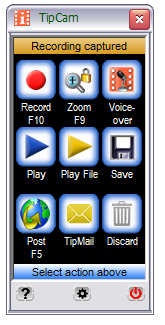
TipCam is the easiest-to-use screen recorder for Windows XP and Vista
What is special about TipCam?
-
Record your screen:
- Easy and intuitive controls
- New! Unlimited recording time of full motion video with audio
- Videos are ready for review and sharing instantly
-
Share your videos:
- Upload to uTIPu.com for sharing high resolution videos
- Upload to YouTube
-
Record to FLV or AVI
- Record to FLV for optimized web delivery
- Record to AVI for editing with 3rd party tools
-
Voice-over and Trimming
- Don't worry about narration errors, you can re-record just the audio
- New! Trim unwanted beginning and ending from your recording
- Mini-bar - use the mini-bar while recording to minimize TipCam's footprint in your videos
-
Smart zooming
- Zooming window can be fixed or follow your mouse cursor
- Adjustable zooming window during recording
- New! Select the window you want to record
- Free-style drawing during recording
- New! You no longer need a Windows administrator account in order to record
- Mult-language Support - read our blog for more info
What can I use it for?
- Record and show how to change your MySpace layout
- Record a computer error that you have and post a question on Yahoo Answers
- Record and share an online game you are playing - poker, bridge, Sudoku, ...
- You can even record an online video from other video site or TV feed
- Record and email your comments to a document from a coworker
- See Sample Uses for more ideas